
Video sizes and aspect ratios for every platform
One table to keep: pixel sizes, lengths and safe zones for Reels, Shorts, TikTok, YouTube, LinkedIn and ads, and how to film once for all of them.
Formats2 min read
Uploading the wrong size does not break a video. It just makes it smaller, blurred at the sides or hidden behind buttons. This page lists the sizes we export most, and how to film so that one take fits them all.
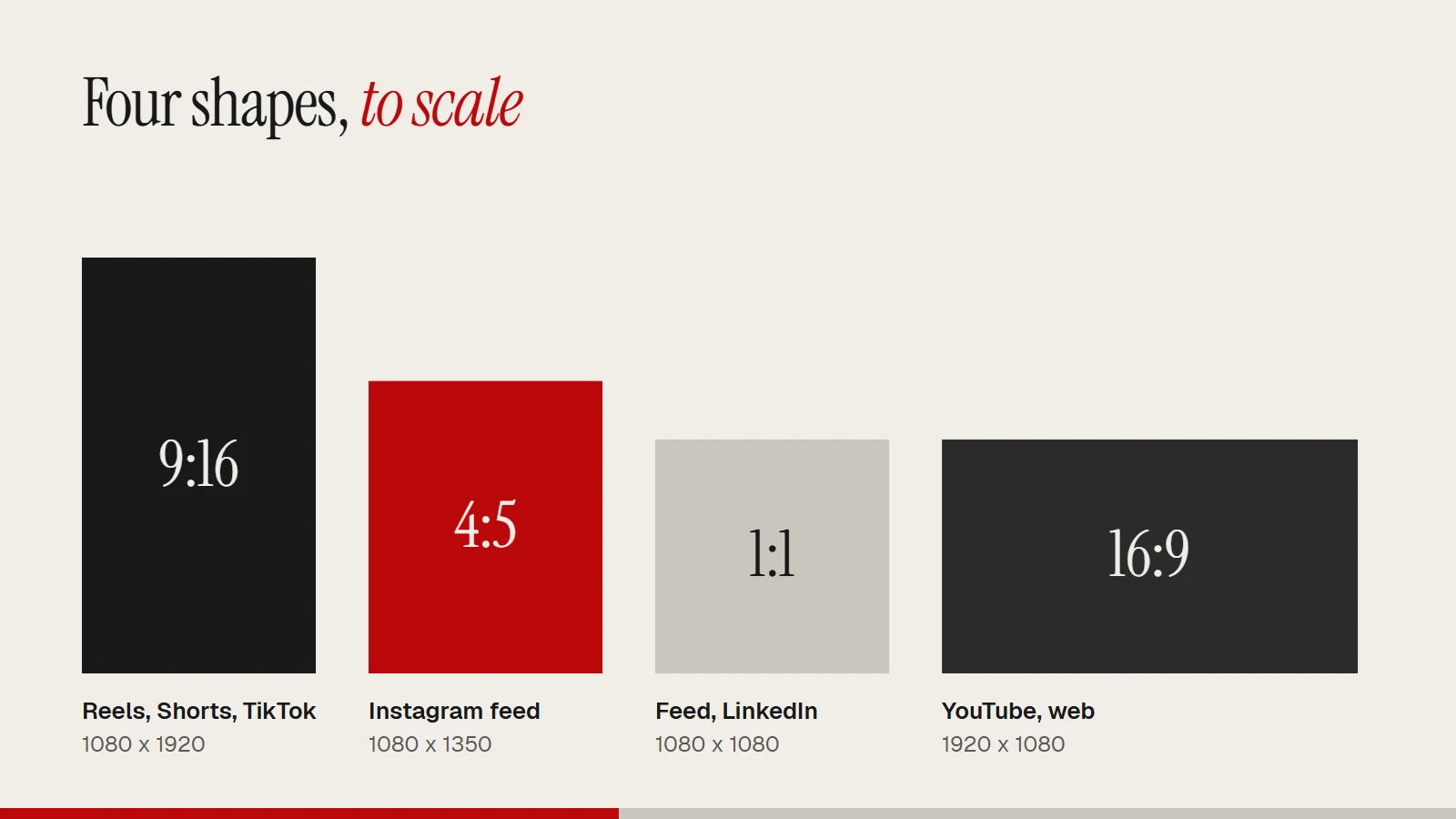
The four shapes you need
| Ratio | Pixels | Where |
|---|---|---|
| 9:16 | 1080 x 1920 | Reels, Shorts, TikTok, Stories |
| 4:5 | 1080 x 1350 | Instagram and Facebook feed, feed ads |
| 1:1 | 1080 x 1080 | Feed, LinkedIn, some ads |
| 16:9 | 1920 x 1080 or 3840 x 2160 | YouTube, websites, TV, presentations |
Platform by platform
Reels are 9:16. Buffer's guide, reviewed in November 2026, lists a maximum of 20 minutes, with a catch: only reels up to three minutes can be recommended to people who do not follow you. The profile grid shows a cropped cover, so keep the title in the middle.
YouTube
Normal videos are 16:9. Vertical or square videos up to three minutes count as Shorts if they were uploaded on or after October 15, 2024, according to YouTube Help. If a three-minute square video should not become a Short, export it in 16:9.
TikTok
9:16, same file as your reel. Export without the watermark of another app. The caption and buttons sit at the bottom and on the right, so leave more room there.
Square and 4:5 fill more of a phone screen than 16:9. Vertical also works. Captions matter here, because many people scroll at work without sound.
Ads
Prepare 9:16, 4:5 and 1:1 at least. Placements change often, so look at the current ad specification of the platform before you export.
Safe zones
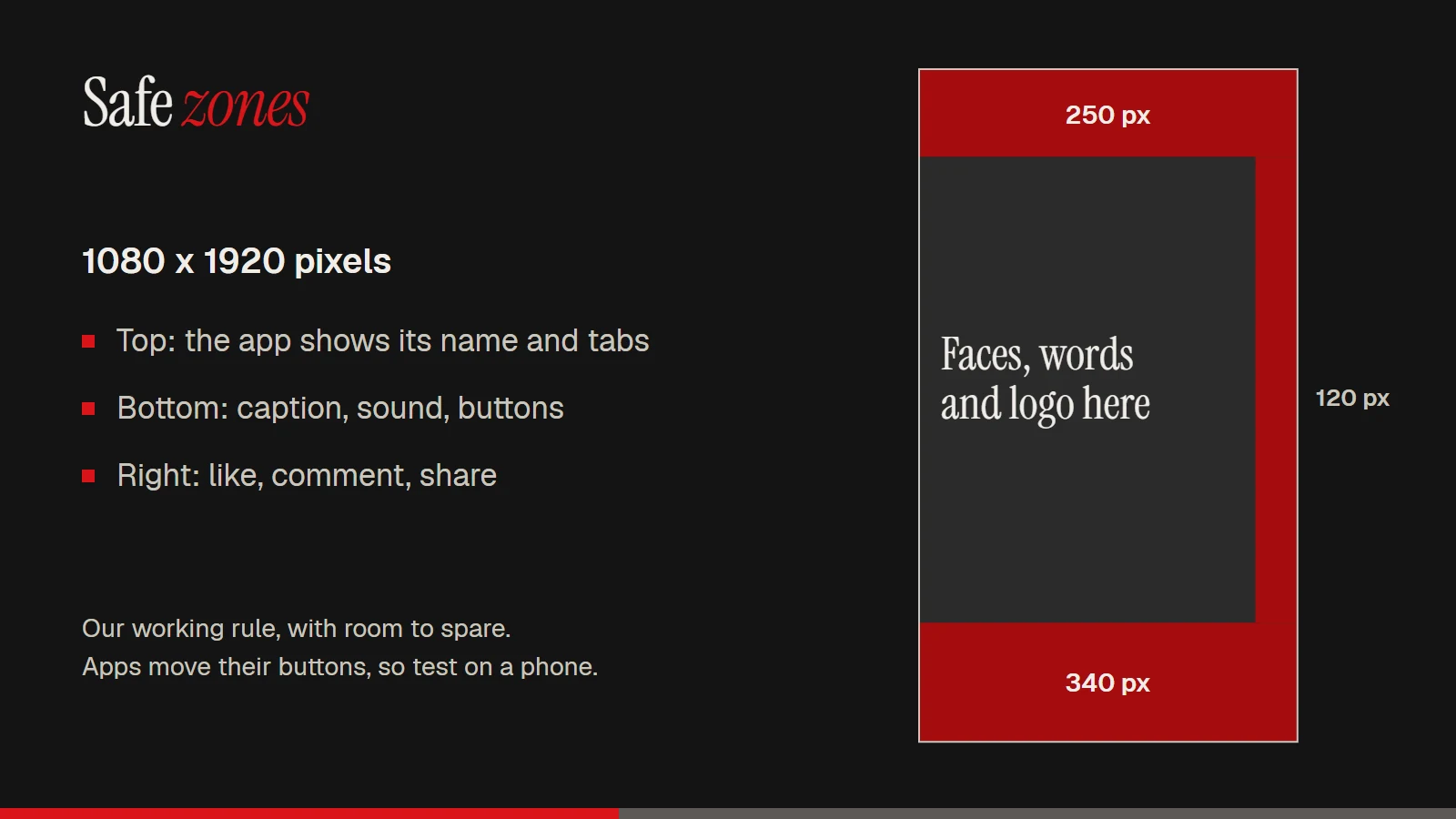
Apps put names, captions and buttons on top of your video. There is no official number that fits all of them. We keep this rule for 1080 x 1920:
- Top: 250 pixels free
- Bottom: 340 pixels free
- Right: 120 pixels free
Faces, words and logos stay inside the remaining area.
Film once for all sizes
- Film in 4K if you can. You can crop to other shapes and stay sharp.
- Keep the important part in the middle. Imagine a vertical strip in the centre of your horizontal frame.
- Leave room above the head. Titles need it.
- Decide the main format first. Cropping 16:9 to 9:16 loses about two thirds of the picture. The other direction leaves bars at the sides.
- Shoot wide and close. Two framings give the editor freedom.
Export settings that work
| Setting | Value |
|---|---|
| Container | MP4 |
| Codec | H.264 |
| Frame rate | Same as you filmed, usually 25 or 30 |
| Resolution | 1080p for social, 4K for YouTube if filmed in 4K |
| Sound | AAC, 48 kHz |
| Captions | Burned in for social, SRT file for YouTube and LinkedIn |
Every platform compresses your file again. Upload the best file you have, not one that went through a messenger.
Keep a naming rule
brand_topic_9x16_v2.mp4 tells everyone what it is. Small habit, large effect once you have a hundred files.
Common questions
1080 x 1920 pixels, which is a ratio of 9:16.
Up to three minutes for vertical or square videos uploaded on or after October 15, 2024.
It is the area that apps do not cover with buttons and text. We keep 250 pixels at the top, 340 at the bottom and 120 on the right free.
It helps. You can crop to several shapes and the result stays sharp in 1080p.
Have footage that needs an editor?
Tell us what you shot and where it will be posted. We come back with a plan, a price and a delivery date.